
Archive | SEO For Photographers

RSS feed for this section

Should I Put My Blog On The Front Page of My Site?

09 December

There’s a misconception that gets around quite a bit in the photographic industry. And that’s that having your blog posts display on the front page of your website is better than having a static page. And I’d like to de-bunk that myth for you today.

Why is it a popular idea?

The whole idea about putting your blog on the front page of your site came about from three pieces of information:

  1. Blogs naturally attracted lots of search traffic do to it being based in actual text for content.
  2. Most photographers were using a Flash based solution for their main website.
  3. Google loves sites with fresh content. (Another myth, actually).

Based on this information, I could see why people would be flocking to move their blog to the front page. And your blog outperforming your Flash website would be cause for celebration. But, hey I could get an 6th grader to create a website that will outrank a Flash site.

So what’s the problem?

The problem is that when you have your blog on your main page, it becomes more challenging to rank for one specific keyword. As I mentioned in an earlier post, you want to limit the keywords your targeting to one or two per page. This makes it easier to optimize that particular page.

But when you keep your blog posts on the main page, you get a mish-mosh of keywords coming through. One week it could be about weddings, the next about a high school senior you photographed.

With the blog on the front page, the content becomes volatile and you have no way to optimize it. You know the “O” in “SEO.”

Also from a site design/user experience, your users become lost all of a sudden. Your main page should help them find what it is they want to find, and a long stream of photos don’t do that.

And… I bet you have a solution, Mister Smarty Pants?

As a matter of fact… Yes!

Make your main page, a page that really helps your clients find out what they need, or what you would like them to do. Keep it simple and the hub for everything they can get from your business. Remember, for most, it will be their first impression of you and your business, so how would you like that experience to go?

Remember to think of your client first. SEO second.

That said, your front page will always rank better for the keywords you want to rank for because of the consistency. If your keywords never change or fall of the page, you will firmly establish that page as the page that Google wants to serve up to people looking for that term.


Myth…. Busted!

When Should I Post My Blog To Get More Traffic

05 December

Photo Credit Michael Connell under Creative Commons license.http://www.flickr.com/photos/mdconnell/4843035847/

I know you’ve been working hard on getting your photos ready, culled them down from the 3,000 you took at the wedding, to the 40 you’re going to put up on your blog post and have the world see. You’ve spent a little extra time in Photoshop cleaning up the files to be portfolio worthy, you’ve added Alt Text to each one, wrote a great story about the Bride and Groom with excellent keywords and you’ve got the Yoast SEO plugin filled out with a good Title Tag and description. You’re so proud of yourself… You hit Publish, throw up a link on Facebook, and call it a night ’cause it’s 1AM and you just finished it.

Whoa, What time is it???

The time of day you publish makes a difference?

Yes. It really does. When you posted that blog post you were so proud of, who did you think would see it at 1AM? Sure the Aussies are up, but are they your clients? Are the people that read and follow your blog up? I highly doubt it.

So… When is the best time to post to get the most traffic?

That depends.

How to find the right time to post

You can listen to what all the “experts” say, but why not find out what works best for yourself? It’s not that hard. I’ll show you how, and it will only take a few minutes. It’ll be cool too.


Step 1. Log in to your Google Analytics account. (Don’t have one? Bad dog! You totally should go sign up right now).

Step 2. Select a date range like 3-6 months.

Step 3. Go to the Custom Reports tab (don’t be scared).

Step 4. Create a New Custom Report.

Step 5. Use the settings in the graphic below to fill out the new Custom Report.

Step 6. Hit save, and you’ll be presented with a breakdown to the most popular times for your website. The breakdown is in 24 hour time, so 1, 2 and 3 PM, are 13, 14, 15 respectively. In my report you can see that Flaunt Your Site’s most popular times are 11am, 1pm, and 12pm meaning that most people are on this site around mid-day, local time. Your results may vary.

Awesome!

OK, now you know what time to post. But did you know you can find out the same thing for the best Day to post???

Yep… You can. Guess what you need to do? That’s right, make another Custom Report. Repeat Steps 1-4, then use Day of Week instead of Hour. See below.

Once you’ve saved it, you’ll see something like this:

As you can see, it just uses numbers to represent the Days of the Week. 0 is Sunday, and 6 is Saturday. And in this graph you can see that over the last 6 months, Monday and Tuesday have been the best days for traffic for Flaunt Your Site.

What next? Announce it! Schedule an announcement!

Schedule your posts silly! In WordPress you can actually schedule your posts to go out at a specified time. In my case, if I were posting once a week, I would chose Monday or Tuesday at  11AM to schedule my posts to get the most traffic and readers.

Schedule it in Facebook too! If you have a Facebook Fan/Business Page, you can actually schedule the time you want your status announcing the blog post you worked so hard on.

Schedule it in TweetDeck three! Do you use Tweetdeck or Hootsuite? You can schedule your tweets with either of those cool programs.

Poor Google Plus :(  Unfortunately, there is not a way to currently to schedule your G+ status updates. Keep crossing your fingers though. That place keeps getting cooler every couple months. Wait… I just found a Chrome Extension called Do Share. This extension is supposed to schedule your Google Plus statuses for you. I’ll test it out with this post, and provide an update to my experience with it.

What are your peak hours and days?

Now that you’ve gone through the SUPER EASY experience of finding out what your peak times are, why don’t you share with everyone else in the comments when you get the most traffic? Who knows maybe we’ll all find out that it’s the same for all of us, or maybe we’ll find out that every site is slightly unique… But you would never know had you not checked it out for yourself now, hmmm?

Also let me know if you are interested in posts like these. I’m a metric geek. Some might not be. I’d like your opinions.

Thanks!

Stop the SEO Insanity! Use Your Blog Posts Effectively Please

04 December

In yesterday’s blog post I snuck a Pixies reference in there and asked people to see if they could find it. The first person that could would get a link in today’s blog post. Brian Kraft, a Wedding Photographer from Denver came through pretty quick with the answer (It was Paco Pico Piedra from the song Crackity Jones). Maybe I should do that in every post…
Not only is he getting a link, but I asked him if he had a request for a blog topic. Sure enough he did, and that will be today’s topic.

Stop it, seriously!

What Brian was asking about was keyword content on blogs and how having that on many pages sitewide impacted your rankings. And the simple answer is that the more keywords you have on your site doesn’t make your site any stronger than anyone else’s.

See the issue is that SEO is a Per Page phenomenon, not a Site Wide phenomenon. And the more you stuff your blog posts with useless keywords, the more diservice you do to finding unique opportunities. You know the “Your City Wedding Photographer” that you put in every post? Yeah, that’s what I’m talking about.

So what’s the solution, you ask?

Well the first step is to really get the Per Page part of SEO. And to do that, you have to be willing to select one page to be your “Your City Wedding Photographer” page. Usually just one page will rank for a big keyword term like that anyways (and those types of pages often need many links to compete with others), so you want to chose one page and optimize that page very well to get it to be the one that ranks.

OK… So what to do with my blog posts then?

Well, blog posts are a great opportunity to diversify the keywords that you have across your website, increasing the volume of traffic you get from Search Traffic. So instead of using the big head terms, look for unique opportunities that people aren’t taking advantage of… Locations, Venues, Vendors, something unique about the shoot; You did a Walking Dead styled family portrait session? Well talk about it, and make sure you keyword that. There’s got to be someone out there that wants that stuff. And if it’s something you want to do more of, do it full on.

Conclusion, a short and sweet one

Use your blog posts to diversify your links.

Use one page to rank for “Your City Wedding Photographer.”

Boom Baby.

The 7 Best Types of Links for Photographers

03 December

Building links to your website is an unfortunate necessity in today’s online world. If you’re going to get noticed, it’s crucial to have the web of the world crossing through your little corner where you’re selling your services. Not only do you need those crossroads to have the traffic come to you, but search engines are also dependent on links to determine what the most popular sites are. Obviously the more links to a certain page on the internet, the more likely there will be value provided.

With that thought in mind, I wanted to talk about the different kinds of links and which ones are best for professional photographers. I’ve brainstormed a handfull of different link types and I’ve listed them in order from flaming hot to warm bathtub. (I have left out links that have no value at all. So this blog post never gets chilly).

  1. Featured posts

    Getting your work featured on photo blogs are one of the best ways to not only get your work out in front of a larger audience, but also pick up a solid editorial link. Google can determine what part of the site your links are on, and when they’re in the body of the text of the page, as opposed to the footer or the comments section, you’re in much better shape.
    With as many wedding blogs that are out there, like Wedding Chicks, Style Me Pretty and Rock N Roll Bride, you can be assured that your style of photography works on one of them.

  2. Guest posts

    There are quite a few photography resource blogs like Digital Photography School and The Modern Tog that would love for you to submit an article on your area of expertise to help teach their legions of followers. And you will often get a link back to your site for your efforts.
  3. Industry specific directories

    Wedding Wire could be looked at like a dating site where Brides and Wedding Photographers find each other. There are other directories geared towards photo specific industries that do quite a bit to promote the photographers. Wedding Wire does this every year with their Bride’s Choice Awards. Fearless Photographers do their own Fearless Awards each year as well. The links you get from these directories tend to be pretty strong.
  4. Social media

    Facebook is ridiculous, just share your content. You’ll get traffic.
    Google Plus is something that people should really begin to think about sharing your blog posts on. It is a Google property, and we have seen that blog posts tend to get indexed quite a bit faster when submitting your content there.
    If your clientele is fairly techy, Twitter could be a good place to link to your content as well. It’s also a great place to trade jobs with other photographers.
  5. Comments on other blogs

    Comments create a very strong sense of community with other photographers, and at the same time when you leave praise for other people’s photographs, you get a link back to your site. Just a quick reminder… Don’t be spammy, don’t sign your comments as “Santa Cruz Wedding Photographer Paco Paco Picopiedra.” Just use your name and be cool.
    Oh, and don’t forget, if you disable No-Follow on your blog comments, make sure you check out the Followed Photography Sites page and add your link there. Bet you weren’t thinking you’d pick up a link when you came to check out this post huh?
  6. Business directories/Yellow Pages

    There’s a TON of little Yellow Page type business listings. They help create some credibility for your Google Local Listing. If you can get these for free and not a ton of work, grab em.
  7. Profile pages

    Any sites where you’re a member often provide you with a Profile Page. If you’re on Flickr, click on your name and you’ll see you have an area to customize your profile. Add a link there, and you’ll be stylin!

OK, there you have it. Go out and get some links and provide some value to the internets. Leave us some comments if you had some success from our tips.

What Photographers Need to Know About the Google Places and Google Plus Local Merge

01 June

In January I predicted 3 things to focus on this year in the world of SEO and online marketing, and while my 1st prediction, Pinterest, was a no-brainer. And my 2nd, Google Plus, was going to have a large impact on Search, I had no idea that the 2nd, and the 3rd, Local Search, would actually come together in as a whole new creature. Well yesterday Google announced it. All Places Pages have now become a Google Plus Local Page. And if you’d like to read more about it, you can hop over to the Google And Your Business blog.

I’m not here to break the news, but prepare photographers for the changes and what’s to come. Yes, there’s more to come.

First and foremost… 

  • All Places Pages have already been converted to Google Plus Local Pages.
  • If you have already claimed your Places Page, you will still manage your new Google Plus Local Page from the same place.
  • If you have a Google Plus Business Page also, don’t fret, the accounts will be able to link in the coming weeks. Hopefully they combine the two accounts into one for ease of use. Google is still recommending people to sign up for Business Pages on Google Plus, so there is definitely some thought going on that we haven’t seen yet.

The Changes

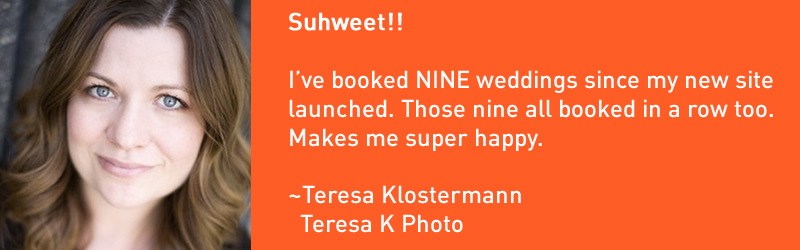
Here is what people will see while doing a search. It looks similar whether logged in or not. In this case I searched for “Folsom Wedding Photographers,” and of course, friend and client Teresa K‘s listing pops up to the top of the Local Listings pack. You can see that instead of the old Star rating, she has a new score out of 30. Hers is 30/30 cause she’s so damn awesome at what she does. If you click on the Title, you’ll be taken to her website, but if you click on the “14 Google reviews” she has (let this be a lesson to you all that reviews are important! We’ll touch a little more on that in a bit.), you will be taken to the new Google Plus Local Page.

Below are two examples of what the page looks like when logged out and logged in to Google Plus. Aside from having the Sidebar and Hangout window available to you, there is a nice little difference on this page, and that is the addition of the +1, Share and Add Public Photos. That makes this page truly social in that these features all are tied into their Google+ accounts. Ultimately it will affect SEO as well for people with Google + accounts. All the +1′s and Shares will shape people’s Google Circles, and impact the way people see search results.

The other thing that will enhance SEO is that these pages will be Indexed in with Organic Results (not just part of the Local results)! This could give you an additional advantage over your competitors if you are keeping your Google Plus Local Page updated and well optimized.

Now to utilize Google +

  • Reviews: Reviews are one of the reasons why some businesses show up ranked higher in Local Results. In the example above, with Teresa K you can see that she is well cemented in the first position and has 9 more reviews that anyone else. If you have a Reviews page on your website that points to things like Yelp and Wedding Wire, you’ll need to change the URL to your Google Reviews page now.
    If you don’t have a Reviews Page, you should create one right now.
  • Circles: I don’t think I need to mention that the larger your Circles, the more influence you will have on people, and the people in their Circles as well. That being said, go add me to your Circles now. :)
  • Update your Google Plus page. Whether or not you use it as much as Facebook, the more you use Google Plus, the bigger advantage you’ll have over your competition when it comes to Google Search. I’ve heard the complaints about the lack of adoption and I can totally get it. Stick with it though, and there’s nothing saying you have to devote major hours daily to it. A weekly update may just be enough. You’ll have to gauge it based off of your own experience and what you see your competitors doing with it. (Keep me informed).

Now go forth and get Reviews! :)

3 SEO Things to Focus on in 2012 for Photographers

20 January

3 SEO things for photographers to focus on in 2012

Despite having a rather heavy first half of the month, I wanted to write up a post that would point to a few easy areas photographers could focus their efforts this year.

I’ll assume you already have the following handled:

  • Having an HTML based site that search engines can crawl, and plenty of good naturally written content.
  • A solid grasp of what keywords you’re seeking to rank for.
  • Healthy links that come from a variety of locations like blog comments, quality directories (not the paid or reciprocal ones), and most importantly editorial links from blog features and write ups.
  • Engagement through Facebook and Twitter.
You should have all those done already. The following is the next level and it will be a big focus in 2012.

1. Pinterest

2012 will be the Year of the Dragon according to the Chinese (I was born Year of the Dragon, so that’s good. I think…). But it most certainly will be the Year of Pinterest to the rest of us trying to promote our photography businesses.

The marketing adage is to go where your demographic goes. And you can’t get much better demographics for brides than 20-30 year old crafty hipster chics pinning away on Pinterest. They all like bowtie wearing men, and those mason jars that everyone seems to love.
All kidding aside the average Pinterest user is likely to be female and interested in unique designs and good photography. Not only should your website make it easy for people to pin your photos, you should have an account on there and be connected to all those hipster chics so they can see your latest and greatest photos.

Why else you should be using it:

How it will affect your SEO:
Directly it will affect your SEO by having a very powerful site linking back to yours with multiple
How to take advantage of Pinterest:
Well, if you haven’t, you should definitely use our Pin It On Pinterest WordPress plugin. It was the first plugin out there and it is by far the best. And the 1.0 version we’re planning to come out soon will be even better.
Get that plugin installed and let people start pinning your photos online. There already great sites out there that are receiving a huge amount of traffic from their content that has been pinned already.

2. Google +

OK, I’ll admit it. I waited awhile to adopt this one. Part of it was that I just didn’t want to hop on another hype without really seeing where it would go. Both Google’s Buzz and Wave were flops, and I had no interest in spending time on something that could have easily vanished.

As it turns out, Google + has become quite a hit, with features like group video chats and the ability to separate friends into unique circles so certain people can see certain things with greater ease than Facebook and Twitter. It looks like it has some great potential for the future as well. Not only is it getting the “thumbs up” from users, but it appears as if 2012 will see a big push for integrating Google + into your everyday search results.

Social Search

People with Google + profiles and business pages will become much easier for Google to vet. And websites that are tied to that profile will have a definite advantage. Connections  on Google+ will yield results on searches with your friends profile pictures on the search results making them stand out more.


You’re Circles of friends will be a huge endorser of your business by sharing your website on Google + and using the Plus 1 function on your website. Their friends will see that you are being endorsed by them, and you’ll have an instant recommendation.

Rel=Author

One of the cooler things that Google has rolled out is the Rel=Author tag. It’s still in the early stages and not everyone is able to see the benefits of it. But it’s intent is to have rich snippets show up next to blog posts and articles that you write based on your Google + profile picture.


Early Adoption is Key

These two features may not seem that big of a deal, but anytime you can get a little advantage in the SERPs, you should take it. If you were in the #3 position, you could potentially get more clicks to your site over the #1 position, simply by having that Rel=Author tag applied. Just imagine what that will do for your longtail traffic searches. You’ll definitely have a leg up on your competitors if you implement this early on. Eventually all the themes will catch on, and add these features, so it’s best to be leading the pack and get in quick.

3. Local Search

Local Search isn’t new, but the prominence of Local will increase. We’ve seen a few variations of how search results have been displayed, but where things seem to be settling lately is the Universal Search Result, which displays a mix of Local and Organic results. You can see in the screen grab below how the organic and Local results are co-mingling together.

The first 2 results are organic, but the next 3, including one of our clients Tall and Small Photography from Bloomington, are for their Google Places listings.


Optimize for local and organic

Things that you would normally do for organic are very important, but there are a few things that will improve the likelyhood that you will make it into the local results as well.

  • Reviews! Make sure that you are getting reviews on your Google Place page, Yelp!, Wedding Wire, etc.
  • Citations. The more evidence that you are a legitimate business the more evidence Google has to promote you as a fully vetted business. Flaunt Your Site has a solution to speed up the process of obtaining the necessary citations. See our Local SEO section for more information and contact us to get set up.
  • Ensure that you fill out your Google Places page completely, upload photos and videos, have your hours available, and don’t to skip the services provided part.

Get crackin! 2012 already started.

The first thing you should do is add me on Google +. Then get out there and start engaging. The sooner you jump on the newer things, the more advantage you’ll have over your competition.

Pin It